How To Backup And Restore SMS/TEXT Messages
download SMS Backup & Restore 
from google playstore. and follow the below instructions
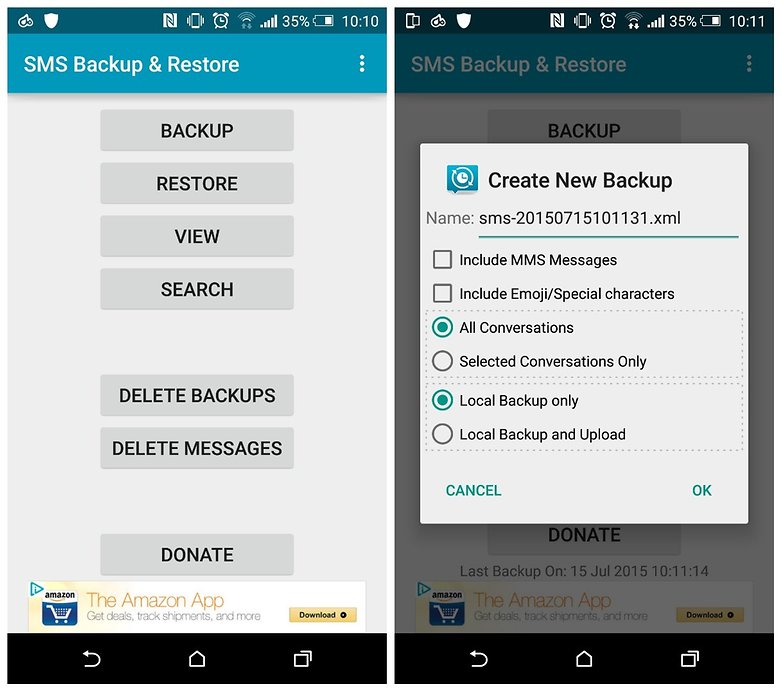
1. Once you've downloaded and installed SMS Backup & Restore, open the app and tap Backup.
2. Next, choose what exactly you want to create a backup of, then – crucially – tap Local backup and upload if you want to send your backup to Google Drive, Dropbox or an email address.
3. Make your selection from the list that appears and then tap OK.
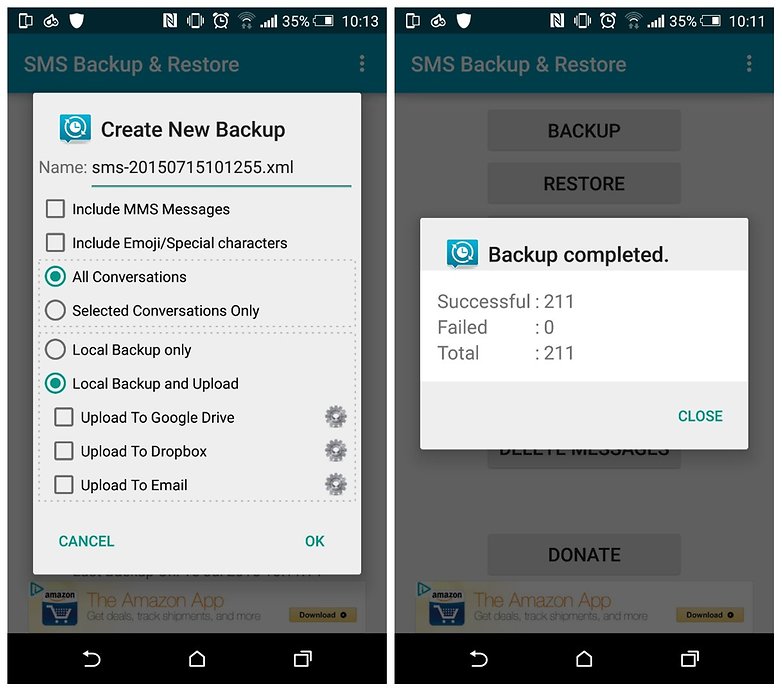
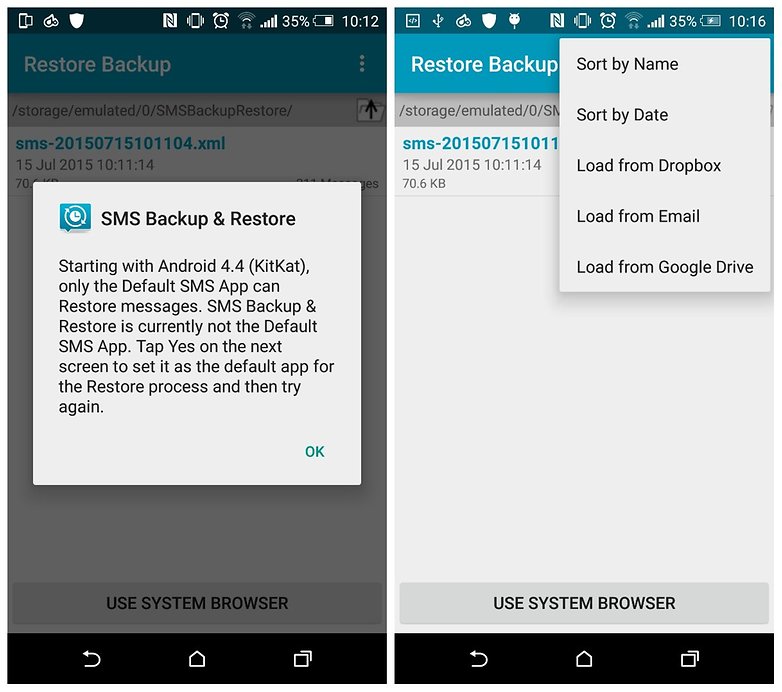
4. To restore your backed-up SMS messages, tap Restore on the app's home screen, then, on the Restore Backup page, you can just tap the backup name in the list to restore it (if it's stored locally).
5. If your backup is stored in the cloud, tap the overflow menu (three dots) at the top right, then Load from and select whichever cloud service it's stored on.
How To Backup And Restore SMS/TEXT Messages
 Reviewed by Unknown
on
00:17
Rating:
Reviewed by Unknown
on
00:17
Rating:
Reviewed by Unknown
on
00:17
Rating:


No comments: